The 11 Best AI Image & Video Generators in 2026 (Free & Paid Options)

The 11 Best AI Image Generators in 2026 (Free & Paid Options)
AI image generators have been impossible to miss over the last few years. Whether you've scrolled through social media, watched prime time news, or flipped through magazines, AI-generated images are everywhere. In fact, these tools now allow anyone to create high-quality graphics in seconds, from realistic photos to artwork to marketing materials.
I've tested at least 35+ AI image generation tools to find the ones that truly deliver on quality, ease of use, and value. The best ai image generator for your needs depends on whether you want a free ai image generator or are willing to invest in premium features. In this guide, we'll explore the 11 best free and paid options to help you choose the right tool.
Chat GPT with DALL-E 3 - Best Overall AI Image Generator

DALL-E 3 — Overview and Core Features
DALL-E 3 stands out among ai image generators through its direct integration with Chat GPT. When you describe an image, Chat GPT automatically expands your simple prompt into detailed paragraphs that DALL-E 3 can better interpret. This eliminates the need for complex prompt engineering that other tools require.
The system achieves up to 95% accuracy in photorealism and around 92% accuracy for text within images, making it reliable for logos and posters. Unlike earlier versions, DALL-E 3 understands spatial relationships and complex scenes. When you request refinements like "add a light green psychedelic background," it updates the previous image rather than starting over.
Images you create are yours to use commercially without needing permission to reprint, sell, or merchandise them. The platform generates images at 1024x1024 resolution with options for rectangular formats.
DALL-E 3 — Pricing Options
Chat GPT Plus subscribers get access to DALL-E 3 for $20 per month. This subscription includes enhanced performance and prioritized access without additional per-image costs.
Developers can use the API at $0.04 to $0.12 per image depending on resolution and quality settings. Free limited access exists through Microsoft Bing Image Creator for casual users.
Strengths and Weaknesses of DALL-E 3
Strengths: The conversational interface makes DALL-E 3 the most user-friendly option available. It excels at understanding detailed prompts and integrates seamlessly within the Chat GPT ecosystem.
Weaknesses: Images sometimes appear generic or distinctly AI-generated. The system has stricter safety filters than competitors, occasionally limiting creative freedom. It also struggles with fine details like hands and complex typography.
Midjourney - Best for Professional Quality Images
Midjourney — Overview and Core Features
Midjourney operates exclusively through Discord instead of a traditional web interface, requiring users to interact with a bot using commands like '/imagine'. This community-first approach has attracted over 20.77 million members as of August 2024.
The platform excels at producing artsy, polished images with exceptional quality. V8 Alpha, released in early 2025, delivers noticeably better photorealistic detail with sharper micro-textures on skin and fabric, more convincing depth of field, and improved lighting. Hand generation, a classic AI failure point, is dramatically improved with much lower rates of broken hands or extra fingers. Text rendering in images has also become noticeably better, especially for short phrases on signage or labels.
Midjourney — Pricing Options
Midjourney offers four subscription tiers with 20% discounts for annual commitments:
| Plan | Monthly | Annual | Fast GPU Time | Relax Mode | Stealth Mode |
|---|---|---|---|---|---|
| Basic | $10 | $96 ($8/mo) | 3.3 hrs | No | No |
| Standard | $30 | $288 ($24/mo) | 15 hrs | Unlimited | No |
| Pro | $60 | $576 ($48/mo) | 30 hrs | Unlimited | Yes |
| Mega | $120 | $1,152 ($96/mo) | 60 hrs | Unlimited | Yes |
Companies earning over $1 million annually must purchase Pro or Mega plans.
Strengths and Weaknesses of Midjourney
Strengths: Produces aesthetically compelling images with artistic flair. Strong prompt interpretation and compositional quality. Active community support.
Weaknesses: No free trial currently available. Discord-only interface creates friction for some users. Images are public by default unless you pay for Stealth Mode. V8 can produce inconsistent results and overly polished aesthetics.
Leonardo.AI - Best for Gaming and Creative Assets
Leonardo.AI — Overview and Core Features
Leonardo.AI launched originally as a gaming asset generator but evolved into a full-scale AI content creation platform. The system delivers images within 10 to 20 seconds, making it one of the faster options available.
Users can select from multiple model variants suited to different styles and speeds, including Phoenix, Flow State, and Lightning. The platform supports custom model training, allowing creators to maintain consistent character appearances or brand-style imagery across projects. For game developers, the 3D Texture Generation feature stands out by letting you upload 3D models and apply AI-generated textures.
The AI Canvas provides editing functions for refining images directly on the platform. Leonardo.AI includes two prompt engineering tools: a random prompt creator and a prompt improvement feature to guide your vision. The Alchemy Refiner specifically targets notoriously difficult elements like faces and hands, though this feature requires a premium plan.
Leonardo.AI — Pricing Options
| Plan | Monthly Price | Tokens/Month | Custom Models |
|---|---|---|---|
| Free | $0 | 150 daily | 1 |
| Apprentice | $12 | 8,500 | 10 |
| Artisan | $30 | 25,000 | 20 |
| Maestro | $60 | 60,000 | 50 |
Strengths and Weaknesses of Leonardo.AI
Strengths: Fast generation speed. Strong free plan with 150 tokens every eight hours. Adheres to prompts better than some competitors. Unique 3D texturing capability.
Weaknesses: Post-generation editing tools are paywalled. Privacy policy details hidden in terms of service. Free plan users must submit new prompts for adjustments rather than editing existing images.
Stable Diffusion - Best Open Source Solution
Stable Diffusion — Overview and Core Features
Unlike proprietary ai image generators, Stable Diffusion operates as an open-source latent diffusion model released in 2022. The code and model weights are publicly available, allowing anyone to download and modify them. With 860 million parameters in the U-Net and 123 million in the text encoder, it runs on consumer hardware equipped with as little as 2.4 GB VRAM.
You can self-host locally for complete control, deploy on cloud GPUs like AWS EC2, or use hosted inference services such as Replicate. Popular interfaces include Dream Studio and Stable Assistant. The platform supports inpainting, outpainting, and image-to-image translations.
Stable Diffusion XL (SDXL), released in July 2023, generates native 1024x1024 resolution images with improved limb and text rendering. The open ecosystem offers thousands of custom models, LoRAs for style training, and ControlNet for pose control.
Stable Diffusion — Pricing Options
| Access Method | Cost | Details |
|---|---|---|
| Self-hosted (local) | Free | One-time GPU purchase (~$800 for RTX 4080) |
| Dream Studio | $10 per 1,000 credits | ~500 SDXL images at default settings |
| Stable Assistant | $9-$99/month | 900-12,000 credits |
Strengths and Weaknesses of Stable Diffusion
Strengths: Free when self-hosted with no subscription fees. Complete customization freedom through community models and workflows. Offline generation capability. Active community support ensures rapid improvements.
Weaknesses: Requires technical setup knowledge and compatible GPU hardware. Older versions struggle with text generation and human limbs. Prompt engineering often needed for desired results.
Adobe Firefly - Best for Design Integration
Adobe Firefly — Overview and Core Features
Adobe dominates photo and design software, which positions Firefly as a natural extension for creative professionals already embedded in the ecosystem. The platform functions as both a standalone web application at firefly.adobe.com and integrates directly into Photoshop, Illustrator, InDesign, and Express. For instance, you can use Generative Fill within Photoshop to replace backgrounds with AI-generated alternatives described through text prompts.
The system trained on licensed Adobe Stock content and public domain material where copyright expired, designed for commercial safety. Firefly supports text-to-image generation, text-to-video clips (five seconds at 1080p), and audio translation with lip-syncing capabilities. The Design Intelligence feature uses Style IDs to maintain brand consistency across campaigns, automatically applying correct colors, fonts, and layouts. Enterprise users can train custom models on branded assets.
Adobe Firefly — Pricing Options
| Plan | Monthly | Annual | Generative Credits |
|---|---|---|---|
| Firefly Standard | $9.99 | $99.99 | 2,000 |
| Firefly Pro | $29.99 | $299.99 | 7,000 |
Video generation consumes 20 credits per second.
Strengths and Weaknesses of Adobe Firefly
Strengths: Seamless workflow integration for Adobe users. User-friendly interface compared to Discord-based alternatives. Commercially safe outputs with Content Credentials tagging. Access to partner models from Google and OpenAI.
Weaknesses: Cannot produce legible text consistently or refine creations with follow-up requests. Video capabilities limited to five-second clips. Requires minimum 4GB RAM.
Ideogram - Best for Accurate Text in Images
Ideogram — Overview and Core Features
Founded by former Google Brain researchers, Ideogram solves a problem that plagued every other platform: accurate text rendering in images. The system achieves 90-95% accuracy when generating text within visuals, dramatically outperforming competitors like Midjourney at 30-40%.
The Magic Prompt function automatically enhances basic descriptions into detailed instructions, reducing user frustration from poor prompting. Ideogram supports various typography styles from minimalist posters to vintage artwork, 3D rendering, and T-shirt designs. Generation happens within seconds, though the free plan uses slower processing queues.
Editing capabilities remain limited. The platform lacks inpainting and outpainting functions, restricting adjustments to crop, zoom, color selection, and aspect ratio changes. You can draw text positions on generated images and use Remix to add precise typography.
Ideogram — Pricing Options
| Plan | Monthly | Annual | Priority Credits | Slow Credits | Private Generation |
|---|---|---|---|---|---|
| Free | $0 | $0 | 0 | 10/week | No |
| Basic | $8 | ~$84/yr | 100/month | 1,600/month | No |
| Plus | $20 | ~$216/yr | 400/month | Unlimited | Yes |
| Pro | $60 | ~$600/yr | 1,000/month | Unlimited | Yes |
Strengths and Weaknesses of Ideogram
Strengths: Exceptional text integration for logos, marketing materials, and brand elements. Professional B2B aesthetic without fantastical styling. Free tier available for testing.
Weaknesses: Limited editing tools compared to platforms offering advanced manipulation. Credits expire monthly without rollover.
FLUX - Best for Customization and Control
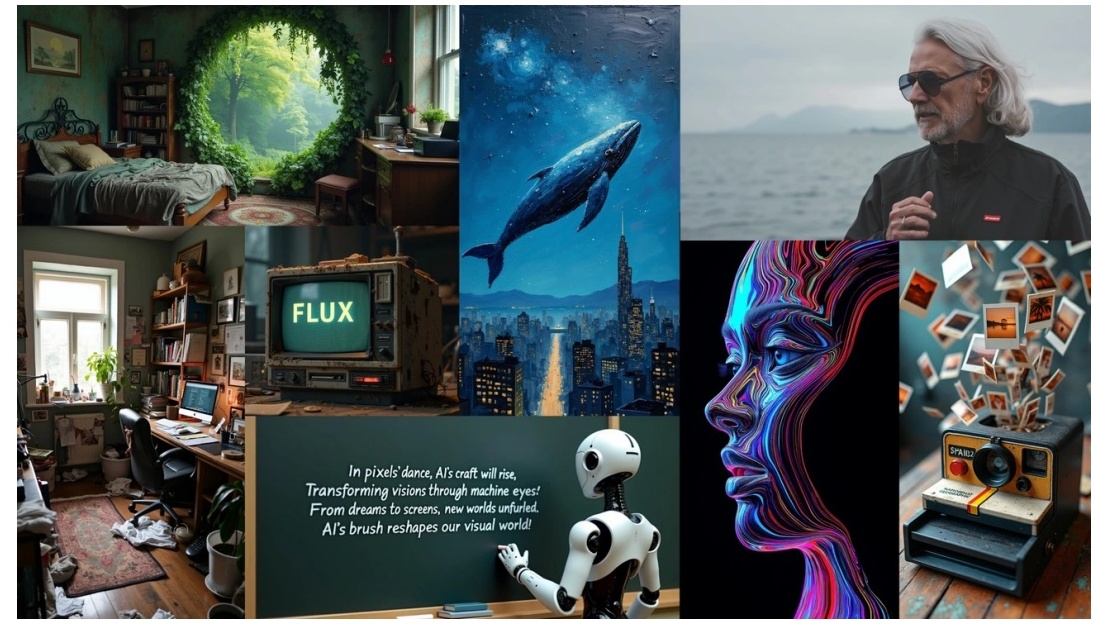
FLUX — Overview and Core Features
Black Forest Labs developed FLUX as a family of specialized models rather than a single ai image generator. The system divides into three groups: text-to-image models for scratch generation, image editing models using structural guidance, and variation models for creating consistent characters or branded aesthetics. This modular approach lets you select the exact tool for your workflow.
Fine-tuning sets FLUX apart from competitors. Using LoRA (Low-Rank Adaptation), you can train custom models on your own image datasets. This technique modifies only a small subset of parameters, making the process faster and resource-efficient. Hence, you can create models matching specific styles or generate consistent characters across multiple images.
The ControlNet variants provide precise structural control. FLUX Canny uses edge detection to preserve outlines from sketches, while FLUX Depth maintains spatial structure through depth maps. FLUX Fill handles inpainting and outpainting, blending additions naturally and removing objects seamlessly. Generation speed reaches 15-25 seconds, with the Schnell variant optimized for even faster results.
FLUX — Pricing Options
FLUX operates on a credit system through various platforms:
| Plan | Price | Credits | Key Features |
|---|---|---|---|
| Free | $0 | 40 initial + 20 daily | Schnell & Dev models, 15-day history |
| Basic | $9.99 | 4,000 | Premium features, 100-day validity |
| Ultra | $19.99 | 10,000 | Fast queue, private generations |
| More | $49.99 | 26,000 | All features, 365-day history |
| Max | $99.99 | 56,000 | Highest tier, commercial rights |
Different models consume varying credits: Schnell uses 10 credits per image, Dev requires 30, while Pro variants range from 50-75 credits.
Strengths and Weaknesses of FLUX
Strengths: Unmatched customization through fine-tuning capabilities. Multiple specialized models for different tasks. ControlNet options provide structural precision. Fast generation with Schnell variant.
Weaknesses: Requires technical knowledge for fine-tuning. Minimum GPU needs 32GB VRAM for local training. Credit system complexity across multiple model types.
Microsoft Copilot Designer - Best Free Option
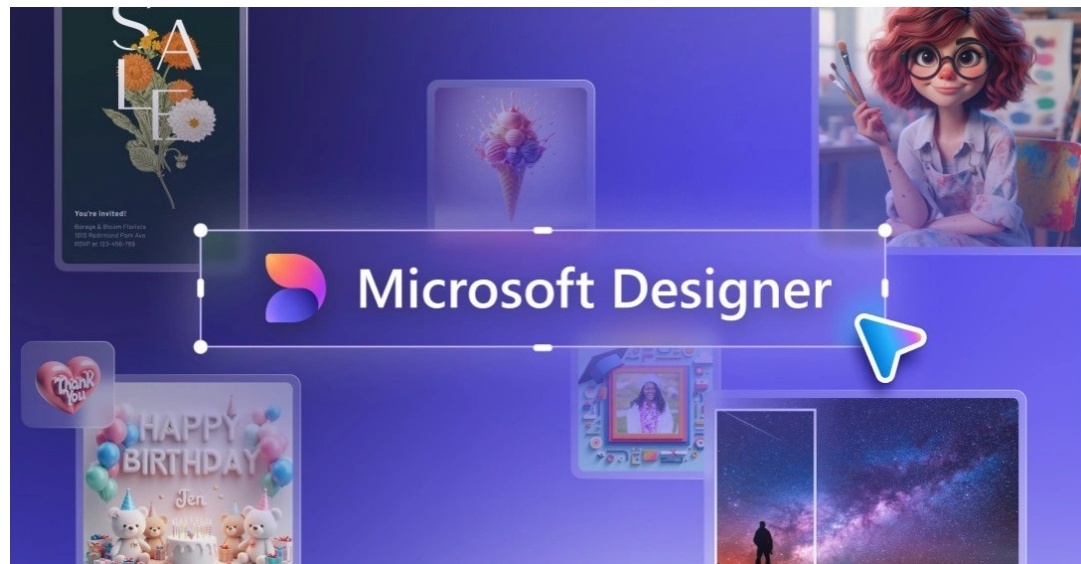
Copilot Designer — Overview and Core Features
Microsoft offers its AI image generation capabilities at no cost through Copilot Designer, making it the most accessible option for casual users. You can access the platform at copilot.microsoft.com without installation or sign-in requirements, though logging in with a personal account unlocks chat history, longer conversations, and voice interactions.
Free users receive 15 boosts per day to generate images with access to the latest AI models during non-peak hours. The platform runs on multiple devices including web browsers, Windows, macOS, iOS, and Android. Designer integrates directly into the Microsoft ecosystem, offering templates for social media graphics, marketing materials, and presentations.
The editing suite includes background removal, depth-of-field blur, and adjustment controls for brightness, contrast, saturation, temperature, and sharpness. Twenty tone filters provide quick stylistic changes. Images export as PNG, JPG, or PDF formats, though files remain optimized for online use rather than print at approximately 4-by-2 inches at 300dpi.
Copilot Designer — Pricing Options
| Plan | Price | Image Boosts | Key Features |
|---|---|---|---|
| Free | $0 | 15/day | Web, mobile, desktop access |
| Microsoft 365 Personal | $69.99/year | Higher limits | Office apps integration |
| Copilot Pro | $20/month | 100/day | Priority access, better quality |
Strengths and Weaknesses of Copilot Designer
Strengths: Zero-cost entry point. Multi-platform availability without downloads. Cloud auto-save functionality. User-friendly interface suitable for non-designers.
Weaknesses: AI limitations for complex technical tasks. Files unsuitable for professional printing. Limited offline capabilities. No collaboration features currently available.
Canva Magic Media - Best for Beginners
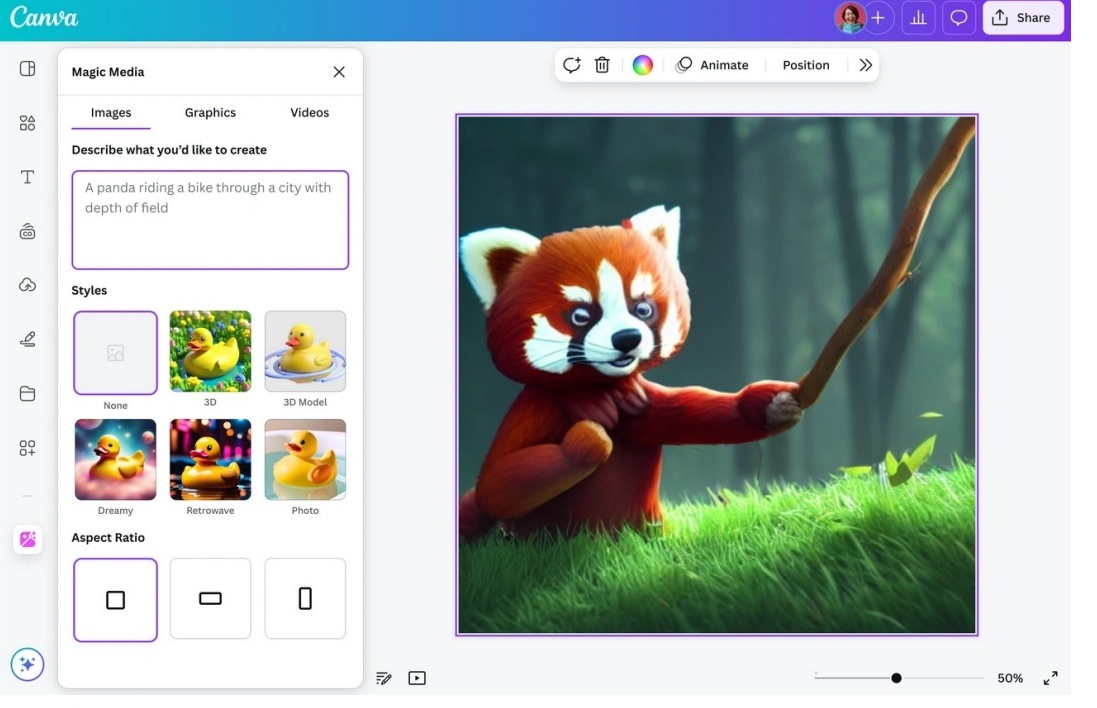
Canva Magic Media — Overview and Core Features
Canva transformed graphic design accessibility long before adding AI capabilities. Magic Media sits within the Magic Studio suite, integrating both DALL-E by OpenAI and Imagen by Google Cloud directly into Canva's interface. You describe what you want, select a style and aspect ratio, then the system generates four images from a single prompt.
The platform requires no prompt engineering expertise. Free users receive 50 lifetime text-to-image generations, while Pro subscribers get 500 monthly credits that refresh at month's end. Each batch of four images consumes just one credit. Magic Media also creates 4-second video clips, though these include watermarks in the bottom-right corner.
The drag-and-drop editor provides access to 1.6 million templates and 4.7 million photos, videos, graphics, and audio elements on the free plan. Pro unlocks 141 million premium assets.
Canva Magic Media — Pricing Options
| Plan | Annual Price | AI Credits | Storage |
|---|---|---|---|
| Free | $0 | 50 lifetime uses | 5GB |
| Pro | $120 | 500/month | 1TB |
| Business | $250/person | 20x more than Free | Advanced features |
Strengths and Weaknesses of Canva Magic Media
Strengths: Zero learning curve for existing Canva users. Templates speed up design workflows significantly. Ideal entry point for AI newcomers.
Weaknesses: Limited free credits exhaust quickly. AI-generated images may contain imperfections requiring close examination.
Freepik AI Image Generator - Best Daily Free Credits
Freepik AI — Overview and Core Features
Freepik aggregates 39+ AI models from providers including Google, Black Forest Labs, and ByteDance into a single platform. Free users receive 20 AI image generations daily, providing consistent access without subscription commitments. This daily refresh makes it the most generous free tier among ai image generators.
The credit system powers paid features. Different models consume varying amounts: Classic Fast uses 1 credit per image, Flux.1 requires 10 credits, while Google Imagen 4 Ultra demands 150 credits. Premium+ and Pro subscribers enjoy unlimited generation on select models with fast-generation limits of 1,000 images per 30 days on Premium+ or 5,000 on Pro. Beyond those thresholds, requests move to slower processing queues without quantity caps.
In addition to AI tools, subscriptions include access to 247 million stock assets. Credits reset monthly and don't roll over.
Freepik AI — Pricing Options
| Plan | Annual Price | AI Credits/Year | Unlimited Generation |
|---|---|---|---|
| Free | $0 | 20/day | No |
| Essential | $69/year | 84,000 | No |
| Premium | $144/year | 216,000 | No |
| Premium+ | $294/year | 540,000 | Yes (select models) |
| Pro | $1,900/year | Unlimited | Yes (all models) |
Strengths and Weaknesses of Freepik AI
Strengths: Daily free credits refresh consistently. Access to cutting-edge models as they release. Stock library bundled with subscriptions eliminates separate purchases.
Weaknesses: Credit costs vary dramatically between models, making budget predictions difficult. Video generation drains credits rapidly. Unlimited generation excludes premium models like custom LoRA training.
Pollo AI - Best Multi-Model Platform
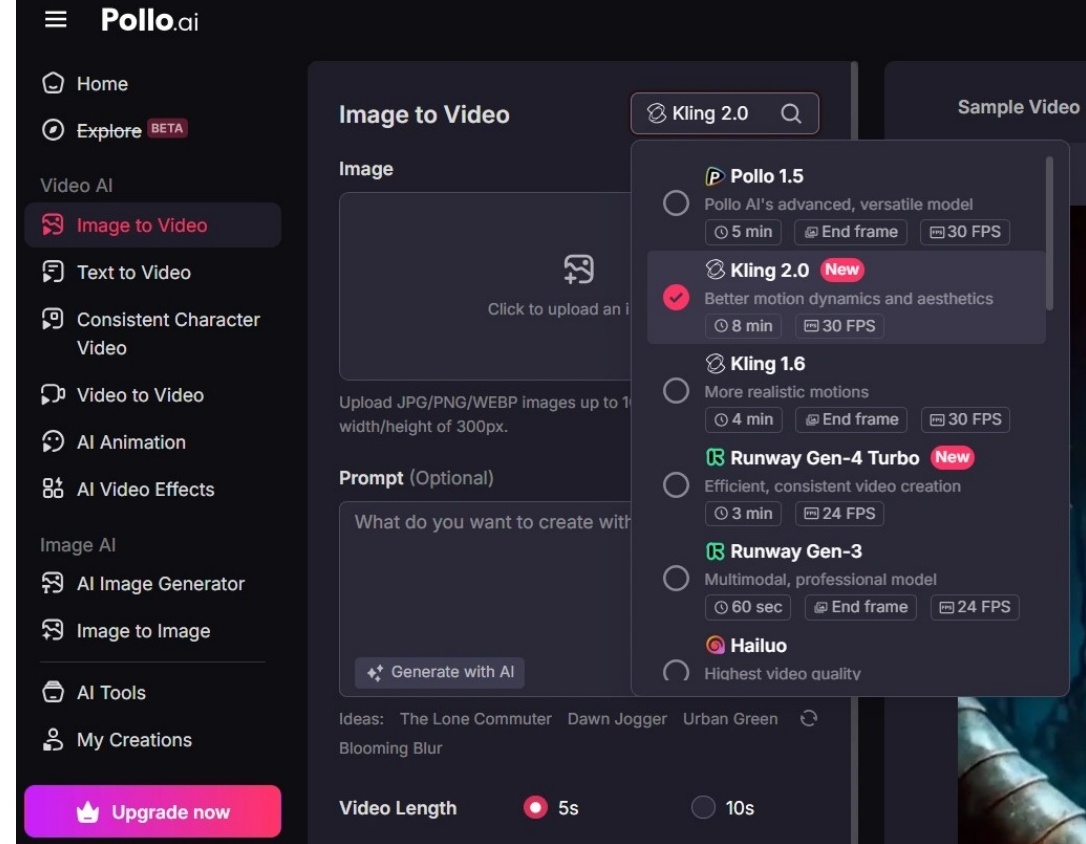
Pollo AI — Overview and Core Features
Instead of building proprietary models, Pollo AI aggregates access to 15+ video generation models and 12+ image models within a single subscription. Supported video models include Pollo 3.0, Seedance 2.0, Veo 3, Sora 2, Kling AI, Hailuo AI, PixVerse, Runway, Luma AI, and Pika AI. For image generation, the platform integrates Recraft, Ideogram, Stable Diffusion, FLUX, DALL-E, Imagen, and GPT-4o.
This consolidation eliminates the need for multiple subscriptions. For instance, accessing Runway, Kling AI, and Luma individually costs $53.79 monthly, while Pollo's Pro plan provides all these plus additional models at significantly lower rates. The platform operates on a credit system where consumption varies by model, resolution, video length, and output quantity.
Pollo AI — Pricing Options
| Plan | Monthly | Credits | Videos | Images | Watermark |
|---|---|---|---|---|---|
| Free | $0 | Limited | Limited | Limited | Yes |
| Lite | $10 | 300 | 30 | 300 | No |
| Pro | $20 | 1,000 | 100 | 1,000 | No |
Strengths and Weaknesses of Pollo AI
Strengths: Consolidates multiple platforms into one interface. Pricing sits 38% lower than similar services. Users report 92% satisfaction with 4+ star ratings.
Weaknesses: Credit consumption rates confuse users. Output quality varies between models. Free tier includes watermarks.
Comparison Table
Comparison Table: The 11 Best AI Image Generators in 2026
| Tool | Best For | Key Features | Free Option | Starting Paid Price | Main Strengths | Main Weaknesses |
|---|---|---|---|---|---|---|
| ChatGPT with DALL-E 3 | Best Overall AI Image Generator | 95% photorealism accuracy, 92% text accuracy, conversational interface, automatic prompt expansion, 1024x1024 resolution | Limited access via Microsoft Bing Image Creator | $20/month (ChatGPT Plus) | Most user-friendly interface, excellent prompt understanding, commercial usage rights included | Images can appear generic, stricter safety filters, struggles with hands and complex typography |
| Midjourney | Best for Professional Quality Images | Discord-based, V8 Alpha with improved photorealism, better hand generation, improved text rendering, 20.77M+ community members | No free trial currently available | $10/month ($8/month annual) | Aesthetically compelling images, strong artistic flair, active community support | No free trial, Discord-only interface, public images by default, can produce inconsistent results |
| Leonardo.AI | Best for Gaming and Creative Assets | 10-20 second generation, 3D texture generation, custom model training, AI Canvas editing, multiple model variants (Phoenix, Flow State, Lightning) | Yes — 150 tokens daily | $12/month | Fast generation speed, strong free plan, better prompt adherence, unique 3D texturing | Post-generation editing tools paywalled, privacy policy hidden in terms, free plan limited editing |
| Stable Diffusion | Best Open Source Solution | Open-source with 860M parameters, runs on 2.4GB VRAM minimum, supports inpainting/outpainting, SDXL 1024x1024 native resolution | Yes — Free when self-hosted | $9/month (Stable Assistant) or $10 per 1,000 credits (Dream Studio) | Completely free when self-hosted, full customization freedom, offline capability, active community | Requires technical setup and GPU hardware, older versions struggle with text and limbs, prompt engineering needed |
| Adobe Firefly | Best for Design Integration | Integrates with Photoshop/Illustrator/InDesign, trained on licensed Adobe Stock, text-to-video (5 seconds at 1080p), Design Intelligence with Style IDs | Not mentioned | $9.99/month ($99.99 annual) | Seamless Adobe workflow integration, commercially safe outputs, user-friendly interface, Content Credentials tagging | Cannot produce legible text consistently, limited to 5-second video clips, requires 4GB RAM minimum |
| Ideogram | Best for Accurate Text in Images | 90-95% text accuracy, Magic Prompt auto-enhancement, various typography styles, generation within seconds | Yes — 10 slow credits/week | $8/month ($7/month annual) | Exceptional text integration for logos/marketing, professional B2B aesthetic, free tier available | Limited editing tools (no inpainting/outpainting), credits expire monthly without rollover |
| FLUX | Best for Customization and Control | Modular model family, LoRA fine-tuning, ControlNet variants (Canny, Depth), FLUX Fill for inpainting/outpainting, 15-25 second generation | Yes — 40 initial + 20 daily credits | $9.99/month | Unmatched customization through fine-tuning, multiple specialized models, ControlNet precision, fast Schnell variant | Requires technical knowledge for fine-tuning, needs 32GB VRAM for local training, complex credit system |
| Microsoft Copilot Designer | Best Free Option | 15 boosts/day free, multi-platform (web/Windows/macOS/iOS/Android), background removal, depth-of-field blur, 20 tone filters | Yes — 15 boosts/day | $20/month (Copilot Pro) or $69.99/year (Microsoft 365 Personal) | Zero-cost entry point, multi-platform availability, cloud auto-save, user-friendly for non-designers | AI limitations for complex tasks, files unsuitable for professional printing, limited offline capabilities, no collaboration features |
| Canva Magic Media | Best for Beginners | Integrates DALL-E and Google Imagen, generates 4 images per prompt, 4-second video clips, 1.6M templates (free), drag-and-drop editor | Yes — 50 lifetime uses | $120/year | Zero learning curve for Canva users, templates speed up workflows, ideal for AI newcomers | Limited free credits exhaust quickly, AI images may contain imperfections |
| Freepik AI Image Generator | Best Daily Free Credits | 39+ AI models aggregated, 20 daily free generations, access to 247M stock assets, models from Google/Black Forest Labs/ByteDance | Yes — 20 generations/day | $69/year | Daily free credits refresh consistently, access to cutting-edge models, stock library bundled | Credit costs vary dramatically between models, video generation drains credits rapidly, unlimited generation excludes premium models |
| Pollo AI | Best Multi-Model Platform | 15+ video models and 12+ image models, includes Sora 2/Runway/Luma/FLUX/DALL-E/Imagen, single subscription for multiple platforms | Yes — Limited credits with watermark | $10/month | Consolidates multiple platforms, 38% lower pricing than competitors, 92% user satisfaction | Credit consumption rates confusing, output quality varies between models, free tier includes watermarks |
Conclusion
Choosing the right AI image generator depends entirely on your specific needs. Free options like Microsoft Copilot Designer and Freepik offer excellent starting points, while professional tools like Midjourney and Adobe Firefly deliver premium results. I recommend testing a few platforms from this list to discover which interface and output style matches your workflow best. At least now you have 11 solid options to explore based on your budget and creative requirements.
Key Takeaways
Here are the essential insights to help you choose the right AI image generator for your needs in 2026:
ChatGPT with DALL-E 3 leads for overall usability with 95% photorealism accuracy and conversational prompting that eliminates complex prompt engineering.
Free options provide substantial value — Microsoft Copilot Designer offers 15 daily generations, while Freepik provides 20 daily credits with access to 39+ AI models.
Specialized tools excel in specific areas — Ideogram achieves 90-95% text accuracy for logos, while Midjourney delivers professional artistic quality through Discord.
Open-source Stable Diffusion offers unlimited free generation when self-hosted, providing complete customization control for technically savvy users.
Multi-model platforms like Pollo AI consolidate access to 15+ video and 12+ image models at 38% lower cost than individual subscriptions.
The AI image generation landscape has matured significantly, offering solutions from completely free to enterprise-level tools. Success depends on matching your technical expertise, budget, and specific use cases (text integration, artistic style, commercial safety) with the right platform's strengths.
FAQs
Q1. What is the best free AI image generator available in 2026? Microsoft Copilot Designer stands out as the best free option, offering 15 daily image generations without requiring payment or installation. It works across web browsers, Windows, macOS, iOS, and Android devices. For users wanting more daily credits, Freepik AI Image Generator provides 20 free generations per day with access to over 39 different AI models.
Q2. Which AI image generator produces the most accurate text in images? Ideogram excels at text rendering with 90-95% accuracy, significantly outperforming competitors like Midjourney which achieves only 30-40% accuracy. This makes Ideogram ideal for creating logos, posters, marketing materials, and any designs requiring legible typography. The platform was founded by former Google Brain researchers specifically to solve the text-in-image challenge.
Q3. Can I use AI-generated images commercially without copyright issues? Yes, but it depends on the platform. DALL-E 3 grants full commercial rights to images you create, allowing you to sell, merchandise, or reprint them without permission. Adobe Firefly trains exclusively on licensed Adobe Stock content and public domain material, making outputs commercially safe. Always check each platform's specific terms of service regarding commercial usage rights.
Q4. Do I need technical skills to use AI image generators? Most modern AI image generators require no technical expertise. ChatGPT with DALL-E 3, Canva Magic Media, and Microsoft Copilot Designer offer user-friendly interfaces suitable for beginners. However, advanced platforms like Stable Diffusion and FLUX provide greater customization but require technical knowledge for setup, fine-tuning, and local hosting on compatible GPU hardware.
Q5. How much does it cost to use professional AI image generators? Pricing varies widely based on features and usage. Entry-level plans start at $8-10 per month (Ideogram Basic, Midjourney Basic), mid-tier options range from $20-30 monthly (ChatGPT Plus, Leonardo.AI Artisan), and professional plans cost $60+ per month (Midjourney Pro, Adobe Firefly Pro). Many platforms offer annual subscriptions with 15-20% discounts, and several provide free tiers with limited daily credits.
Get the best new AI tools delivered every week. Join 10,000+ founders and makers.
Editorial Team
Our editorial team tests and reviews AI tools every week, providing hands-on assessments to help you make the best decisions for your workflow.
